

Claude Cowork and Chat Are Now One Claude: What Changed and What to Do
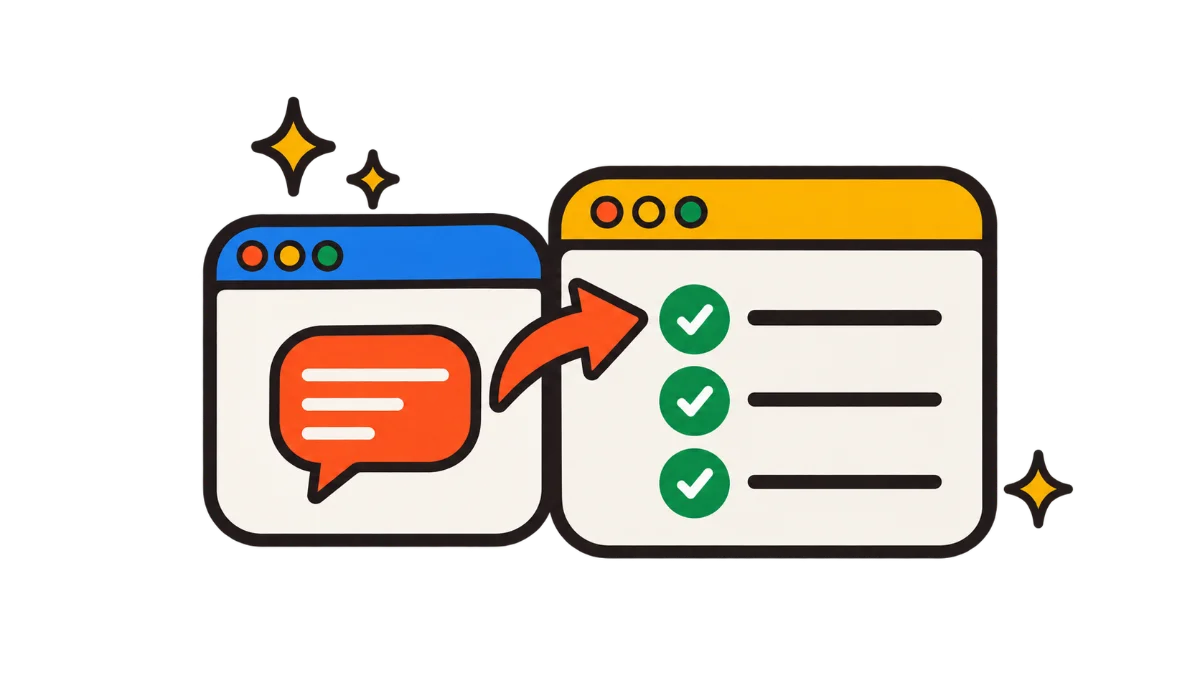
On September 16, 2026, Anthropic announced that Claude chat and Claude Cowork are merging into one Claude. There is no longer a Chat tab and a Cowork tab to choose between. You describe what you need in any conversation, and Claude decides whether to answer a quick question or take on a bigger job such as research, a report, a spreadsheet, or a slide deck, then hands back finished files you can edit.
If you searched for "what happened to Claude Cowork" because the Claude Cowork tab disappeared, nothing was taken away. Your tasks, projects, connectors, and skills are still there; they just live in the same place as your chats now. This guide covers what changed, what carried over, what is not available yet, when each plan gets the update, and what to check after it reaches your account.
Updated October 5, 2026
What changed on September 16, 2026
Before the merge, the Claude app had separate spaces. Chat was for conversation, Claude Cowork was for delegated work on your files and apps, and Claude Design lived in its own product. Anthropic said customers often struggled to choose the right tab for the right task. The new Claude removes that choice.
- One conversation, any size of task. Ask a question and get an answer, or hand over a multi-step job and Claude plans and runs it in the same thread.
- Claude picks the tools. Web research, file processing, code execution, and connected apps are used when the task needs them, without switching modes.
- New beta tools. Claude Docs (living documents you write and share with Claude) and Claude Slides (presentations you edit, present, or download) launched the same day.
- Claude Design in chat. Designs and mockups can now be requested from any conversation. The standalone Claude Design product keeps working.
- Shareable links. Documents, decks, and designs Claude creates get links you can open on mobile.
The work itself is the same kind of work Claude Cowork has done since January 2026: Claude reads and writes files, uses your connectors, runs code in a sandbox, and keeps going while you do something else. If you are new to that model, our explainer on what Claude Cowork does covers the basics. What changed is the front door, not the engine.
Who gets the merged Claude, and when
| Plan | Status | Notes |
|---|---|---|
| Pro | Rolling out first | Web, desktop, and mobile, over several weeks from September 16 |
| Max | Rolling out first | Same schedule as Pro |
| Team | Follows soon | No date announced |
| Free | Follows soon | No date announced |
| Enterprise | Admin-controlled | Admins get at least 30 days' notice before the change, and choose when beta tools turn on |
The rollout is gradual, so two people on the same plan can get it at different times. Once it reaches your account, the separate Chat and Cowork options are gone for good; there is no switch back to the old layout. If a colleague already has the new layout and you do not, it is the staged rollout, not a broken install.
What carries over from Claude Cowork
Anthropic's line for existing users is that no action is required. Everything you built in Claude Cowork stays where it was:
- Chats and Cowork tasks appear together in Recents.
- Projects keep their files and instructions.
- Artifacts you created still open as before.
- Connectors such as Google Drive, Gmail, Microsoft 365, and Slack stay connected.
- Skills and plugins remain installed and are now available from any conversation, not only from Cowork sessions.
- Scheduled tasks keep running. Recurring work runs in the cloud, so your computer does not need to be on.
The last point matters most for people who leaned on scheduled tasks. A Monday report you set up in Claude Cowork still fires on schedule, and you can check its progress from the mobile app. Claude Cowork sessions on Anthropic's servers continue when you close your laptop and sync across devices, which is the same behavior covered in our desktop, web, and mobile guide.
Your standing context also travels further than before. Instructions, skills, and connectors you set up for Claude Cowork now apply to every conversation, so a quick question can draw on the same files and tools as a long task. That is convenient, but it is also a good reason to review what your instructions say; see the settings section below.
Settings that moved or changed
| Before | After the merge |
|---|---|
| Claude Cowork Global instructions | Settings → General → Instructions for Claude |
| Web search toggle | Removed; Claude searches the web when it helps |
| Deep research button | Type /deep-research or pick it from the + menu |
| Claude Cowork storage folder | Shown in Settings, along with the folders you trust |
| Model picker | Same place as before |
| Claude Code | Unchanged |
The renamed instructions setting is the one most people go looking for. If you wrote a long brief in Claude Cowork's Global instructions, it is now under Instructions for Claude, and it applies to chats too. Our Customize panel guide explains how instructions, skills, and plugins stack in the newer app.
How much Claude does before asking you
The merged Claude has two permission modes. Manual is the default: Claude asks before it takes actions such as editing files or sending something through a connector. Auto lets Claude work on its own, with automated safety checks, and check in only for decisions that need you. Anthropic's announcement describes the same idea as asking before acting versus reporting after. Start in Manual, watch a few tasks, and switch only for work you would happily delegate to a colleague without review.
When you still need Claude Desktop open
The merged Claude runs on web, desktop, and mobile, but some abilities still depend on the Claude Desktop app being open on your computer:
- Local files and folders. Reading and writing files on your machine needs the desktop app running.
- The built-in browser. Tasks that browse websites through Claude's browser run through the desktop app.
- Computer use. Letting Claude operate apps on your screen (beta, Pro and Max) needs the desktop app. See our computer use guide for what it can and cannot do.
Everything else, including connected cloud apps, cloud-run Cowork tasks, and scheduled tasks, works without your computer. A practical rule: if a task touches a file that exists only on your laptop, keep Claude Desktop open until it finishes, or move the file to a connected drive first.
What is not available in the new Claude yet
Anthropic's help center lists a few features that did not make the first version of the merged app. If one of these is part of your routine, plan around it:
| Feature | Status in the merged Claude |
|---|---|
| Add from GitHub | Not available yet |
| Branching a conversation from an earlier message | Not available yet |
| Incognito chats | Still work, but open in the previous experience, without file creation or code execution |
| Search across older Cowork tasks | Search does not cover them yet; Recents still lists them by name |
| Dispatch | Unavailable to new users; people already using it can continue |
Dispatch is the one that surprises people. If you already send tasks to Claude from your phone with Dispatch, it keeps working for you. New users will not see it. The merged app covers much of the same need, since you can start a task on desktop and follow it from mobile, but it is not the same remote-control flow.
If you rely on GitHub imports for projects, keep a local clone and attach files directly, or work in Claude Code, which did not change in this update.
Claude Docs, Claude Slides, and Claude Design in chat
Three output tools arrived with the merge, all in beta on paid plans. Enterprise admins decide when each one turns on for their organization. Our Claude Docs and Claude Slides guide covers sharing, exports, and limits in depth.
- Claude Docs: co-write a document with Claude, add sections, ask questions about it, leave comments, and share it with a link.
- Claude Slides: ask for a deck, edit it directly or with Claude, present from Claude, or download it as PowerPoint or PDF.
- Claude Design: request mockups, interactive visuals, and designs from any conversation. The separate Claude Design product is still available for heavier design work.
Anthropic's own example ties these together: ask Claude for a weekly report in your usual format, a five-slide summary for leadership, and a schedule to repeat it every week. Claude gathers the data from your connected tools, writes the doc, builds matching slides, asks about anything unclear, and you can track it from any device. In the old app that was a Claude Cowork task plus a separate trip to Claude Design; now it is one request.
What to do after the update reaches you
- Open Recents and confirm your recent Cowork tasks are listed.
- Review Instructions for Claude under Settings → General. Text written for Cowork now applies to every conversation, so remove anything that only made sense for long tasks.
- Check your scheduled tasks fired at their next run time, and that their outputs landed where you expect.
- Pick a permission mode. Keep Manual until you trust a type of task, then use Auto for that work.
- Look at your storage folder and trusted folders in Settings, and remove access you no longer need.
- Try one combined request, such as a report plus slides, to see how Claude Docs and Claude Slides fit your work.
If something looks broken after the switch, such as a missing task or a connector that stopped responding, our troubleshooting guide covers the common Claude Cowork errors, including desktop-app and Windows issues that are unrelated to the merge.
For admins
Enterprise owners get at least 30 days' notice before the merged experience reaches their organization, and they control when Docs, Slides, and Design turn on. Use the window to update internal guides and screenshots that mention the Claude Cowork tab, tell users where Global instructions went, and decide whether the new beta tools should start on for everyone or for a pilot group. Our enterprise deployment guide lists the related organization settings.
Why Anthropic merged chat and Cowork
Claude Cowork started as a research preview in January 2026, a separate mode in the desktop app for people who wanted Claude to do work rather than talk about it. Over the year it gained Windows support, web and mobile access, cloud sessions, scheduled tasks, and plugins. By September, the line between a chat and a Cowork task had become mostly a question of which tab you happened to open.
The merge treats delegation as normal Claude behavior rather than a special mode. For everyday users that means fewer decisions and one history. For teams that already used Claude Cowork heavily, it mainly means the skills and connectors they built now reach more of their work. For anyone comparing tools, it brings Claude closer to how competitors package agents; our comparison with ChatGPT, Copilot, and Gemini covers how those products handle the same split.
One thing did not change: plan pricing. The merge was announced as a product update, not a price change, and usage still draws on your plan's limits. Long agentic tasks and visual outputs use more of your allowance than quick answers, so check plan limits if you expect heavy use.
Frequently asked questions
What happened to Claude Cowork?
expand_more
On September 16, 2026, Anthropic merged Claude chat and Claude Cowork into one Claude. Claude Cowork's abilities are now available from any conversation, and Cowork tasks appear in Recents alongside chats.
Is Claude Cowork discontinued?
expand_more
No. The separate Claude Cowork tab is gone, but everything Cowork did still works inside the merged Claude, and existing tasks, projects, connectors, and skills carry over.
Why can't I find the Cowork tab?
expand_more
Your account has the merged experience. Once it is active, the separate Chat and Cowork options disappear. Find your tasks in Recents.
When will Team and Free plans get the merged Claude?
expand_more
Pro and Max are first, rolling out over several weeks from September 16, 2026. Team and Free follow soon, with no date announced. Enterprise admins get at least 30 days' notice.
Where did Claude Cowork's Global instructions go?
expand_more
They are under Settings → General → Instructions for Claude, and they now apply to every conversation.
Do I still need the Claude Desktop app?
expand_more
Only for local files and folders, the built-in browser, and computer use. Cloud tasks, connected apps, and scheduled tasks work without it.
Is Dispatch still available?
expand_more
Existing Dispatch users can keep using it. It is not available to new users in the merged experience.
Did Claude prices change with the merge?
expand_more
No price change was announced. Work in the merged Claude draws on your existing plan's usage limits.